Updated: November 2, 2026
Docs
Spam complaint webhook
Why this matters. A sending service can tell Mailwright when someone reports spam.
What we ask for. You paste Mailwright's address into that service.
What Mailwright will do
- Save the complaint and stop follow-ups.
What Mailwright won't do
- Receive webhooks from Gmail, Outlook, or Yahoo. They never call one.
- Open Settings, then API & webhooks.
- Under Spam complaint webhook, click Reveal, then Copy.
- Paste it in your sending service as the complaint webhook.
- Send their test event. It appears on Complaints as Test payload.
How to know it worked
- A test event shows on Complaints marked Test payload.
Something went wrong?
invalid signature The secret in the URL does not match.
Copy the URL again. If you rotated it, the old URL stops working.
unknown webhook Mailwright does not know that URL.
Copy the URL again from **Reveal**.
Nothing arrives The service may be sending the wrong event.
Set it to send complaint events, not only bounces.
Did this help?
Still stuck? Contact support
Every workspace has a complaint URL. It is not limited to one plan. When a mailbox provider notifies that URL that a recipient marked a message as spam, Mailwright records the complaint, suppresses the address, and shows it in the workspace. The pictures of Mailwright screens below are from the app. The flow drawings are diagrams, not pictures of a provider's site.
What happens to a complaint
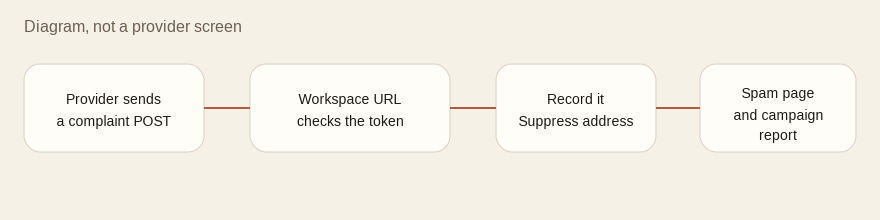
- The provider POSTs the complaint to your workspace URL.
- Mailwright accepts it only when the token in that URL matches the workspace.
- The address is added to the suppression list for every member of the workspace, so later campaign mail does not go to it.
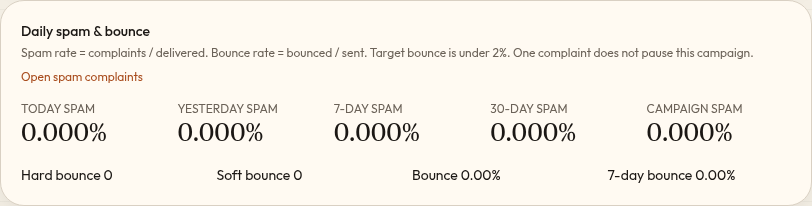
- The complaint is listed on Complaints. If the address is on a campaign, that campaign's complaint count includes it.
1. Copy the workspace URL
- Open Settings › API & webhooks.
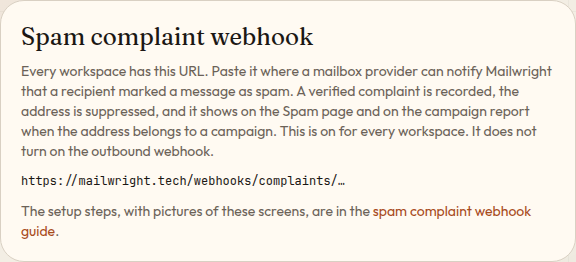
- Under Spam complaint webhook, choose Reveal, then Copy.
- Paste that URL into the complaint or feedback webhook your mailbox provider already gives you. Mailwright accepts a SendGrid-style event list, an Amazon SES notification, or a JSON object with event and email.
The URL looks like https://mailwright.tech/webhooks/complaints/… The token is the secret. Do not publish it.
2. Leave the outbound webhook unset

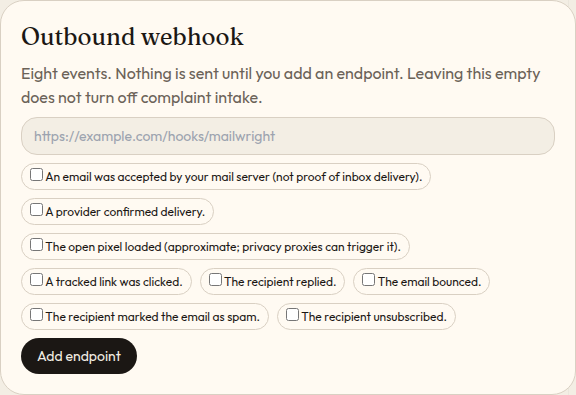
The outbound webhook still has the same eight events: sent, delivered, opened, clicked, replied, bounced, complained, and unsubscribed. No endpoint is created for you. Add one only if you want Mailwright to POST those events to your own server. Leaving it empty does not turn off complaint intake.
3. A mailbox can also have its own URL
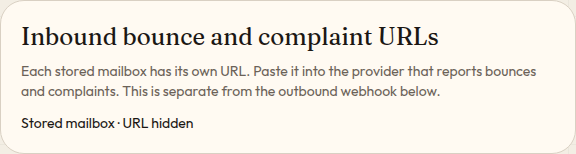
Each stored mailbox has a bounce and complaint URL on Email accounts and on API & webhooks. That URL accepts bounces, complaints, unsubscribes, and delivery notices for that mailbox. It looks like https://mailwright.tech/webhooks/mail/… The workspace URL is only for spam complaints and covers every address the workspace sends.
4. Where you see the complaint
Open Complaints. A row created from a Mailwright test payload is labeled Test payload. A campaign that included the address shows the complaint on that campaign.

Try it with a marked test payload
The test address is suppressed and stays suppressed. Use an address you do not send to. There is no button in the app that sends this for you.
This body is a Mailwright test. It is not a complaint from a mailbox provider. Accepted complaint names include complaint, spamreport, and abuse. A matching POST returns accepted.
curl -X POST "https://mailwright.tech/webhooks/complaints/YOUR_TOKEN" \
  -H "Content-Type: application/json" \
  -d '{"event":"complaint","email":"person@example.com","mailwright_test":true}'
A second POST of the same body is ignored. The address stays suppressed. The Spam page keeps the one Test payload row.